HybridMod
HybridMod is a hands-on hybrid disaster-recovery platform that simulates an on-premises application environment and restores it in Google Cloud after an outage. It combines containerized application services, PostgreSQL backups, Google Cloud Storage, Docker Hub, and Terraform to demonstrate how infrastructure and application data can be recovered from a verified backup.
What happens when your local infrastructure goes down?
Applications and databases running on a single environment can become unavailable when that environment fails. Backups are valuable only when they can be accessed, verified, and restored into a working environment.
Single Environment Dependence
Applications relying on local servers experience complete downtime during hardware failure or power loss.
Isolated State Data
Database state must be extracted independently from application containers to prevent permanent data loss.
Off-Site Storage Needs
Local backups are vulnerable if the primary site experiences a catastrophic failure. Remote cloud storage is required.
Unverified Recovery
A backup file alone is useless without automated infrastructure provisioning and a verified restoration procedure.
From local operations to cloud recovery
HybridMod separates application deployment, database backup, cloud storage, and recovery infrastructure. The local environment runs the application and database in Docker containers. A backup script creates a PostgreSQL archive, calculates its SHA-256 checksum, and uploads both files to Google Cloud Storage. Terraform provisions a recovery VM with a dedicated service account that has read-only access to the backup bucket. During recovery, a script retrieves the latest backup, verifies its checksum, restores PostgreSQL, and starts the application using the published Docker image.
RUN LOCALLY
Flask application, Nginx, and PostgreSQL run in Docker Compose on Ubuntu.
BACK UP
PostgreSQL data is exported to a custom-format archive. A SHA-256 checksum is generated.
STORE IN CLOUD
The archive and its checksum are uploaded to a Google Cloud Storage bucket.
RECOVER
Terraform provisions recovery VM. Script downloads & validates archive, restores DB, launches container.
Architecture designed for recoverability
End-to-end component flow illustrating the simulated local environment, remote cloud backup pipeline, and IaC-provisioned Google Compute Engine recovery destination.
Technologies behind HybridMod
Tooling selection aligned with modern cloud infrastructure and containerized web architecture practices.
- Python — Core application logic
- Flask — Lightweight web framework
- Gunicorn — Production WSGI server
- Docker — Service isolation
- Docker Compose — Multi-container ops
- Nginx — Reverse proxy & load balancer
- PostgreSQL — Relational datastore
- pg_dump / pg_restore — Binary backups
- SHA-256 — Checksum integrity validation
- Bash / Cron — Backup automation
- Cloud Storage (GCS) — Off-site bucket
- Compute Engine — Recovery VM hosting
- Cloud IAM — Service account security
- Terraform — Declarative VM provisioning
- GCP Provider — Cloud resource management
- Docker Hub — Public image repository
Built step by step
Chronological implementation stages from local containerization to verified cloud disaster recovery.
Local Application Environment
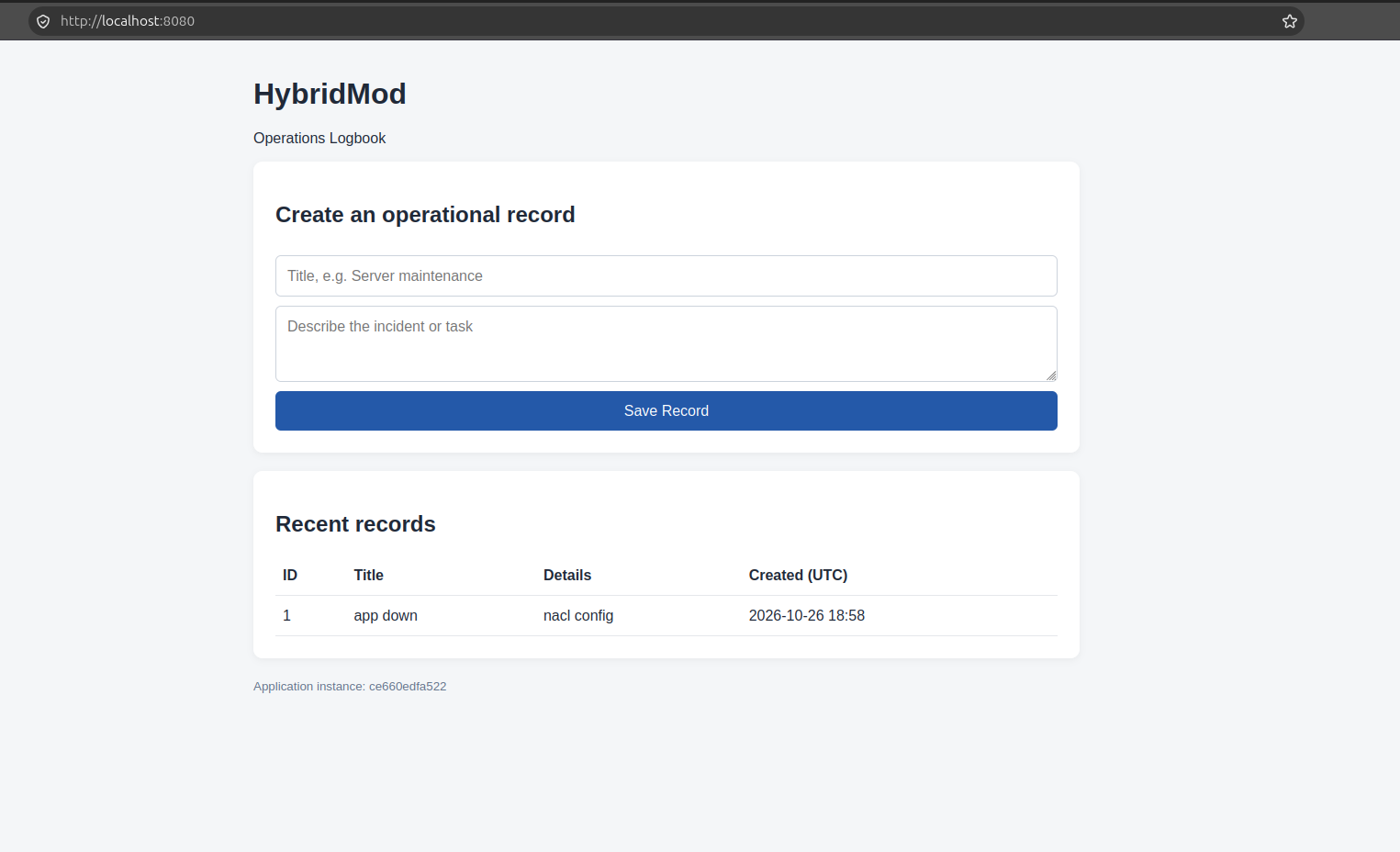
Built a Flask-based Operations Logbook backed by PostgreSQL. Docker Compose orchestrates the database, two application instances, and an Nginx reverse proxy.
Backup and Restore Verification
Created a custom-format PostgreSQL backup script with archive validation and SHA-256 integrity verification. Tested restoring the archive into a separate database and compared the recovered records.
Remote Backup Storage Integration
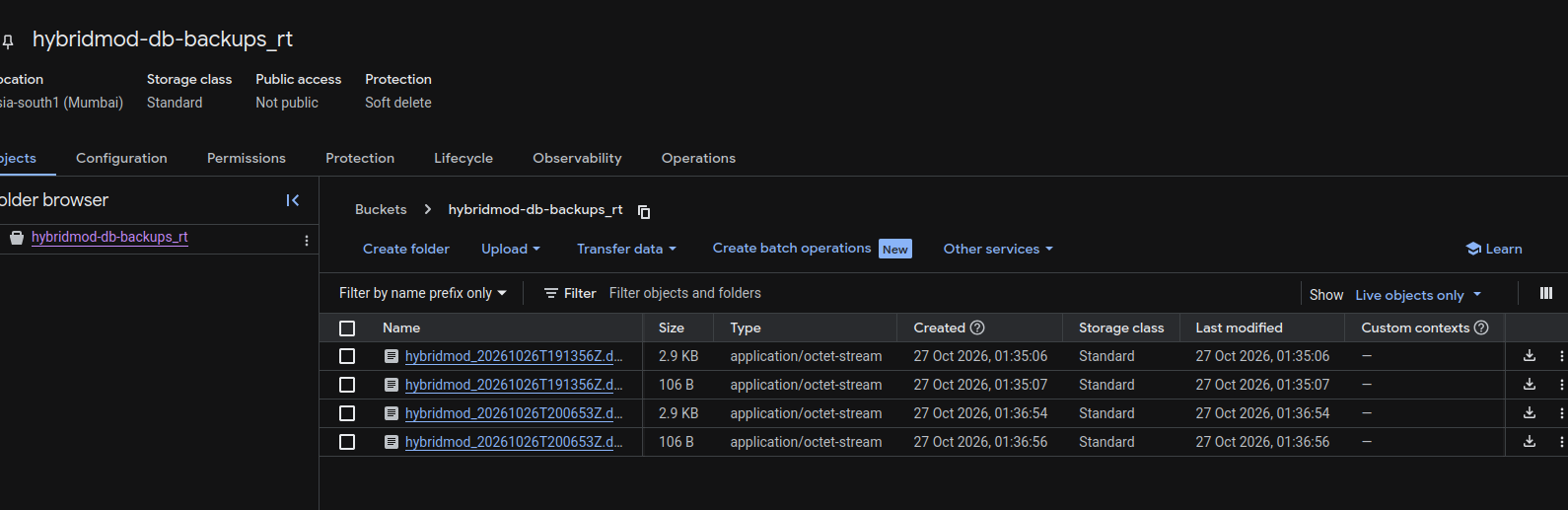
Configured Google Cloud Storage for off-site backup storage. Uploaded PostgreSQL archives and checksum files, then downloaded and verified a backup before restoring it.
Container Image Distribution
Published the application image to Docker Hub so the recovery environment can retrieve the application without depending on the original local machine.
Infrastructure Provisioning with Terraform
Used Terraform to provision a Google Compute Engine recovery VM, a dedicated service account, bucket-level read access, and an HTTP firewall rule.
Disaster-Recovery Test
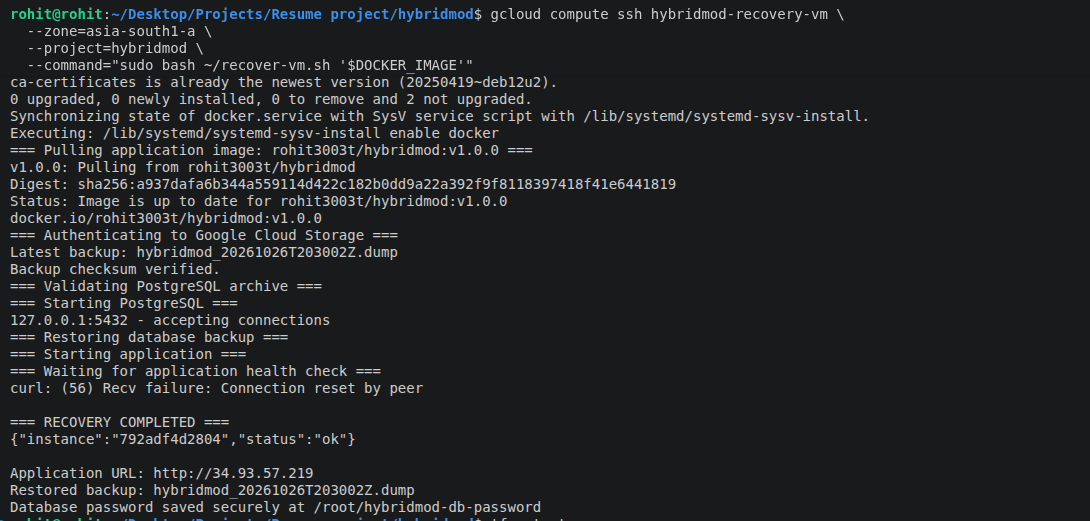
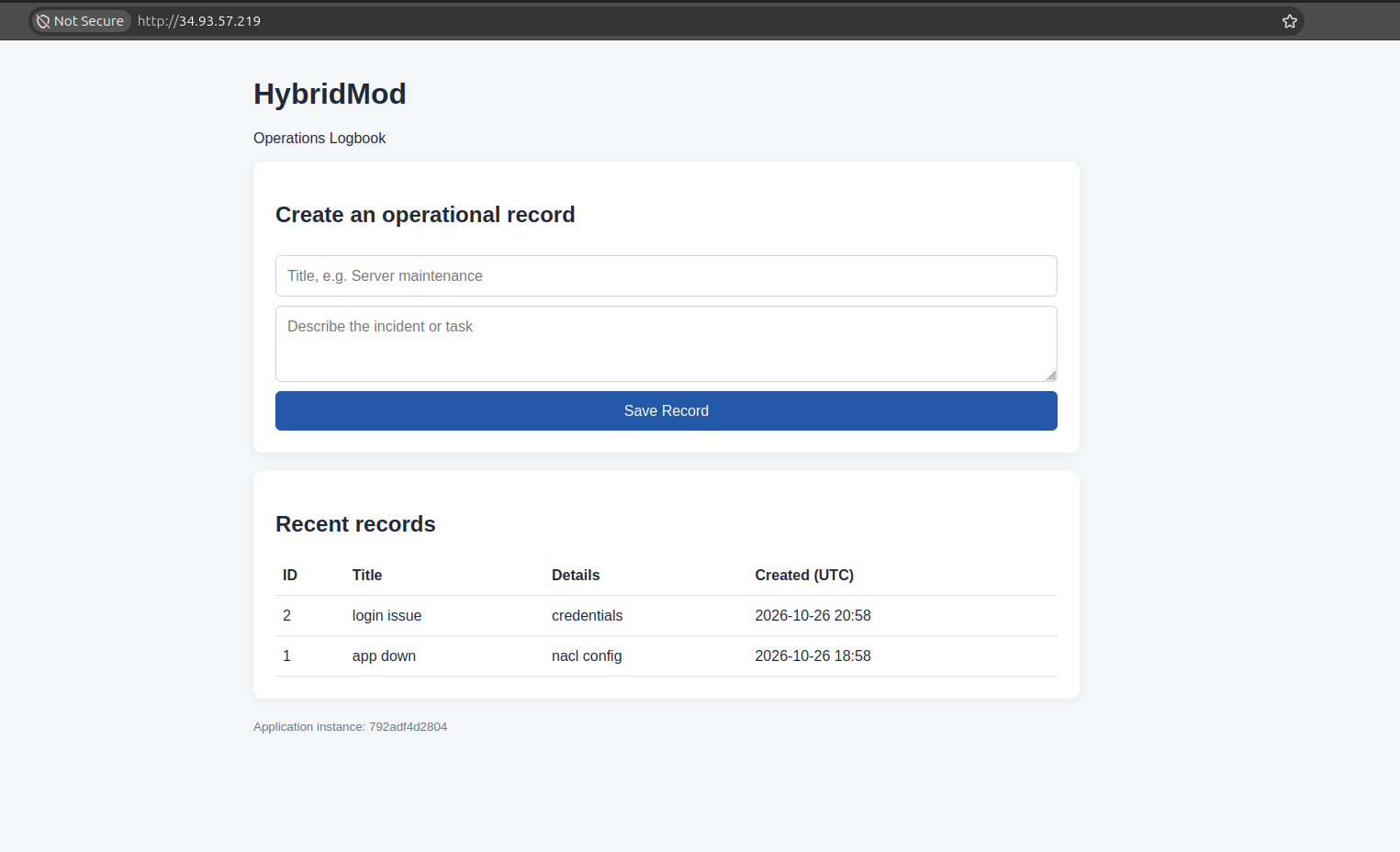
Executed the recovery procedure on the cloud VM. The recovery script retrieved the latest backup, checked its integrity, restored the database, started the application, and verified its health endpoint. The recovered application remained usable after an application-container restart.
See it in action
Project visual artifacts demonstrating local deployment, cloud storage configuration, Terraform output, and cloud recovery.
Recovery is more than a backup
The sequential steps executed to validate and bring services back online after an infrastructure outage.
What was verified
Hands-on test cases executed to confirm component functionality, data durability, and recovery repeatability.
Local Data Persistence
Verified that PostgreSQL records persisted after stopping and restarting the local container stack.
Database Restoration
Restored a backup into a separate database and compared the recovered records with the original.
Backup Integrity
Downloaded a cloud backup and verified its SHA-256 checksum before restoring it.
Cloud Provisioning
Provisioned the Google Compute Engine recovery VM using Terraform.
Application Recovery
Restored PostgreSQL and launched the containerized application in the cloud recovery environment.
Recovery Persistence
Verified that application records remained available after restarting the recovery application container.
Key engineering decisions
Design choices prioritizing data integrity, least privilege access, and infrastructure repeatability.
Separate Data from Application Images
Application containers can be redeployed independently while database recovery uses a separate backup archive.
Verify Before Restore
A SHA-256 checksum detects unexpected changes to the downloaded archive. Archive validation provides an additional check before restoration.
Use Infrastructure as Code
Terraform makes the recovery VM and required cloud permissions reproducible rather than relying entirely on manual console setup.
Apply Least-Privilege Storage Access
The recovery VM uses a dedicated service account with read-only access to the backup bucket.
Designed as an extensible recovery lab
Transparent evaluation of current environment boundaries alongside planned technical enhancements.
Current Limitations
- Local Ubuntu environment simulates on-premises infrastructure; not a corporate datacenter.
- Backups are periodic full dumps, not continuous streaming replication.
- Records written after the most recent successful backup may be lost during recovery.
- Current recovery process is initiated manually; automatic failover is not implemented.
- Local cron schedule depends on the primary computer remaining awake and online.
- Public HTTP endpoint is for demonstration purposes and is not production-hardened.
Future Improvements
- Move scheduled backups to an always-on execution environment.
- Configure backup retention policies and storage lifecycle rules.
- Add backup encryption and secrets management integration.
- Add recovery status notifications and automated monitoring alerts.
- Document explicit recovery-time objective (RTO) and recovery-point objective (RPO) metrics.
- Introduce HTTPS transport security and stricter network access rules.
- Explore automated recovery orchestration based on health-check failures.
What this project demonstrates
HybridMod demonstrates practical skills in containerized application deployment, Linux administration, PostgreSQL backup and restoration, Bash automation, cloud object storage, IAM permissions, Terraform infrastructure provisioning, and disaster-recovery testing.